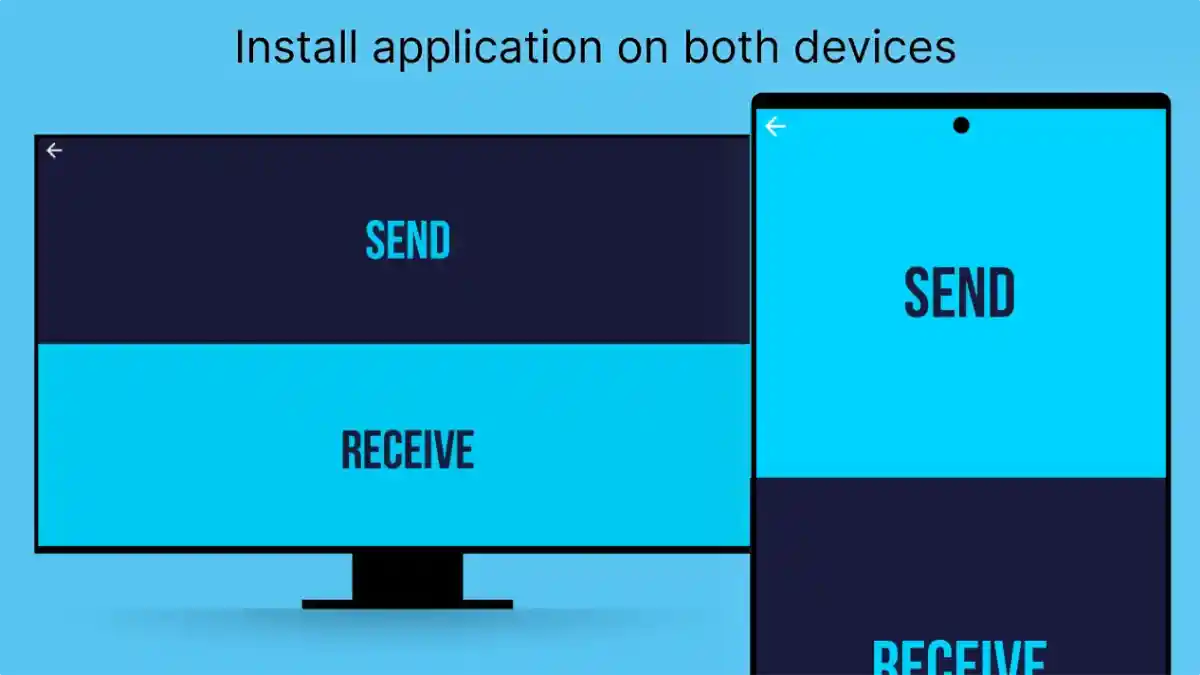
Send Files To TV For Android TV
Learn how Send Files To TV works with Android TV, including wireless file sharing, APK transfer, media sharing, device compatibility, and setup benefits.
Android TV has changed the way users interact with digital entertainment. Modern television devices are no longer limited to traditional viewing because they now support applications, media files, and different types of digital content.
However, moving files from smartphones or other devices to Android TV can still be challenging without a suitable transfer method.
Send Files To TV APK provides a convenient solution by allowing users to transfer files between Android devices and television platforms through a wireless connection.
The application helps users manage different types of content, including:
- APK files
- Videos
- Images
- Documents
- Other digital files
Users who want to understand the complete application can explore Send Files To TV APK.
Why Android TV Users Need File Transfer Solutions
Android TV devices provide access to entertainment applications and digital content, but managing external files is not always simple.
Users may need to transfer files for different reasons, such as:
- Installing applications
- Moving personal media
- Managing downloaded content
- Accessing files on a larger screen
Traditional methods like USB drives or cables can be inconvenient because they require additional hardware and manual steps.
Wireless file transfer provides a simpler alternative.
How Send Files To TV Works With Android TV
The application creates a connection between Android devices so users can move files more easily.
The general process includes:
- Open Application
- Connect Devices
- Select File
- Choose Android TV Device
- Complete Transfer
This simple workflow helps users transfer content without complex configurations.
Sending APK Files To Android TV
One of the most common uses of Send Files To TV is transferring APK files.
Android TV users may need APK transfers when they want to manage applications that are not already available through their regular installation methods.
APK transfer helps users:
Move Application Files
Users can send APK packages from smartphones to Android TV devices.
Manage Applications More Easily
Having application files available on another device makes transfer and management more convenient.
Organize Android TV Content
Users can keep required files organized across connected devices.
Users interested in the complete setup process can explore Send Files To TV Installation Guide.
Smartphone To Android TV Connection
Smartphones are often the main place where users store digital content.
Common files stored on mobile devices include:
- Downloaded applications
- Videos
- Photos
- Documents
Send Files To TV creates a bridge between smartphones and Android TV systems.
This allows users to move content from a smaller personal device to a larger entertainment screen.
Transferring Videos And Media Files
Android TV devices are commonly used for viewing digital media.
Users can transfer different types of media content, including:
Personal Videos
Users can move recorded videos or saved media files for larger-screen viewing.
Images
Photos and visual content can be displayed more comfortably on television screens.
Other Digital Content
Different supported files can be moved depending on user requirements.
Benefits Of Wireless Android TV File Transfer
Wireless transfer provides several advantages compared with traditional methods.
No External Storage Required
Users do not need to depend on USB drives or additional hardware.
Faster Access To Content
Files can be moved directly between connected devices.
Better Device Integration
Smartphones and Android TV devices can work together more effectively.
Android TV And Modern Digital Content Management
As smart TVs become more advanced, users need better ways to manage content across devices.
Modern digital environments include:
- Smartphones
- Smart TVs
- Streaming devices
- Android TV boxes
File transfer applications help connect these different platforms.
Factors Affecting Transfer Performance
The quality of file transfer depends on several factors.
Important elements include:
Network Stability
A stable connection helps maintain reliable communication between devices.
File Size
Larger files may require more time to transfer.
Device Performance
The capability of sending and receiving devices can influence the overall process.
Improving Android TV File Transfer Experience
Users can improve transfer performance through simple practices.
Maintain Available Storage
The receiving device should have enough space for incoming files.
Keep Devices Updated
Updated software may provide better compatibility.
Reduce Network Interruptions
Stable connections help prevent failed transfers.
Common Android TV Transfer Problems
Users may experience different issues while transferring files.
Android TV Not Detected
Possible causes:
- Devices are not connected properly
- Application is not active
- Network conditions are different
Solutions:
- Check device connections
- Restart applications
- Verify network settings
Transfer Speed Is Slow
Possible reasons:
- Large file size
- Weak connection
- Device limitations
Solutions:
- Improve network conditions
- Reduce unnecessary network activity
- Maintain device performance
Frequently Asked Questions
Conclusion
Send Files To TV provides Android TV users with a convenient way to manage digital content across connected devices.
By supporting wireless file transfer, APK movement, and media sharing, the application simplifies communication between smartphones and television platforms.
For users who want a more flexible way to manage files on Android TV, wireless transfer creates a practical and accessible solution.