Send Files To TV Transfer APK Files
Learn how Send Files To TV transfers APK files between Android devices, smartphones, and Android TV systems with wireless application sharing.
Android devices provide flexibility when managing applications, but moving APK files between different devices can sometimes be challenging.
Users may need to transfer application files from smartphones to Android TV devices, tablets, or other compatible platforms for different purposes.
Traditional methods often involve:
- USB drives
- External storage
- Manual file movement
Wireless file transfer provides a simpler alternative by allowing users to move application files directly between connected devices.
Send Files To TV APK helps users transfer APK files and other digital content through a wireless sharing experience.
The application focuses on:
- APK file transfer
- Android device connectivity
- Android TV application management
- Wireless sharing
- Digital content movement
Users who want to understand the complete application can explore Send Files To TV APK.
What Are APK Files?
APK stands for Android Package Kit, which is the file format used for installing applications on Android devices.
APK files contain the necessary components required for an application installation.
Users may manage APK files when they need to:
- Transfer applications between devices
- Store application packages
- Install compatible apps on Android systems
APK management is especially useful in Android TV environments where users may need additional methods for moving application files.
Why Transfer APK Files To Android TV?
Android TV devices provide access to entertainment applications, but users may sometimes need to move application files manually.
APK transfer can be useful for:
Application Management
Users can move compatible application files between Android devices.
Device Organization
Keeping APK files on different devices helps users manage application resources.
Accessing Required Applications
Some users may need to transfer application packages for specific device setups.
Users interested in the complete Android TV transfer process can explore Send Files To TV For Android TV.
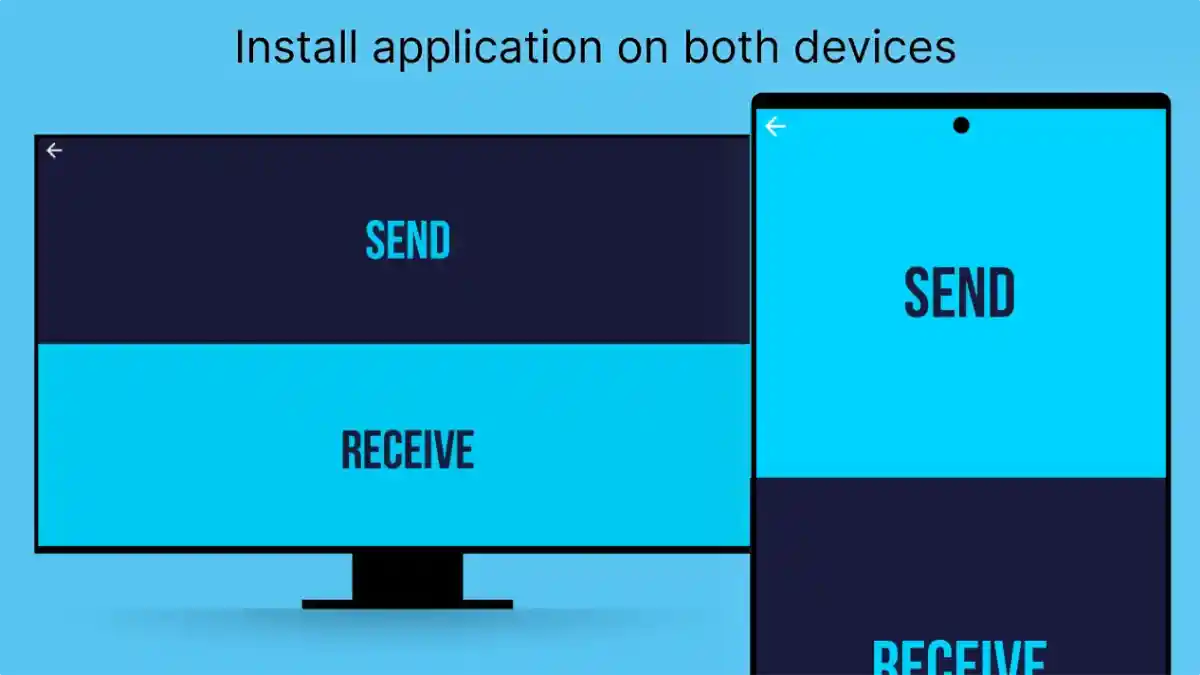
How Send Files To TV Transfers APK Files
The APK transfer process follows a simple workflow.
The general steps include:
- Select APK File
- Choose Receiving Device
- Start Transfer
- Access File On Target Device
This makes application movement easier between compatible Android platforms.
Smartphone To Android TV APK Sharing
Smartphones are often the easiest place to store APK files because users frequently download applications on mobile devices.
Send Files To TV creates a connection between:
- Android smartphones
- Android TV devices
- Compatible Android platforms
This allows users to move application files without depending on external storage devices.
Benefits Of Wireless APK Transfer
Wireless APK sharing provides several advantages.
Convenience
Users can transfer files without carrying additional hardware.
Faster Access
Application files become available on the required device more quickly.
Better Device Management
Users can organize application files across multiple Android environments.
APK Transfer Requirements
Successful APK transfer depends on several factors.
Important requirements include:
Compatible Devices
Both sending and receiving devices should support the required Android environment.
Available Storage
The receiving device needs enough space for the APK file.
Stable Connection
A reliable connection helps prevent interrupted transfers.
Common APK Transfer Problems
Users may experience issues while moving application files.
APK File Not Transferring
Possible reasons:
- Connection problems
- Storage limitations
- File issues
Solutions:
- Check device connection
- Confirm available storage
- Try transferring again
APK File Not Opening
Possible causes:
- Device incompatibility
- Unsupported application requirements
- Installation restrictions
Users should confirm that the application is suitable for the target device.
Improving APK Transfer Experience
Users can improve their transfer process through simple practices.
Organize APK Files
Keeping application files organized makes management easier.
Maintain Device Storage
Enough storage reduces installation and transfer problems.
Keep Android Systems Updated
Updated devices often provide better compatibility.
APK Files And Android TV Customization
Android TV users often explore different ways to personalize their entertainment setup.
APK transfer can support:
- Application management
- Device customization
- Content organization
However, users should always consider device compatibility before installing applications.
Security Considerations During APK Transfer
APK files should be managed carefully because applications affect device functionality.
Good practices include:
- Understanding file sources
- Checking compatibility
- Using trusted devices
- Reviewing applications before installation
Responsible APK management helps maintain a better device experience.
Frequently Asked Questions
Conclusion
Send Files To TV provides a convenient way to transfer APK files between compatible Android devices.
By simplifying application file movement, the platform helps users manage apps across smartphones, Android TV systems, and other supported devices.
Understanding APK compatibility, storage requirements, and safe transfer practices helps users create a smoother Android file-sharing experience.